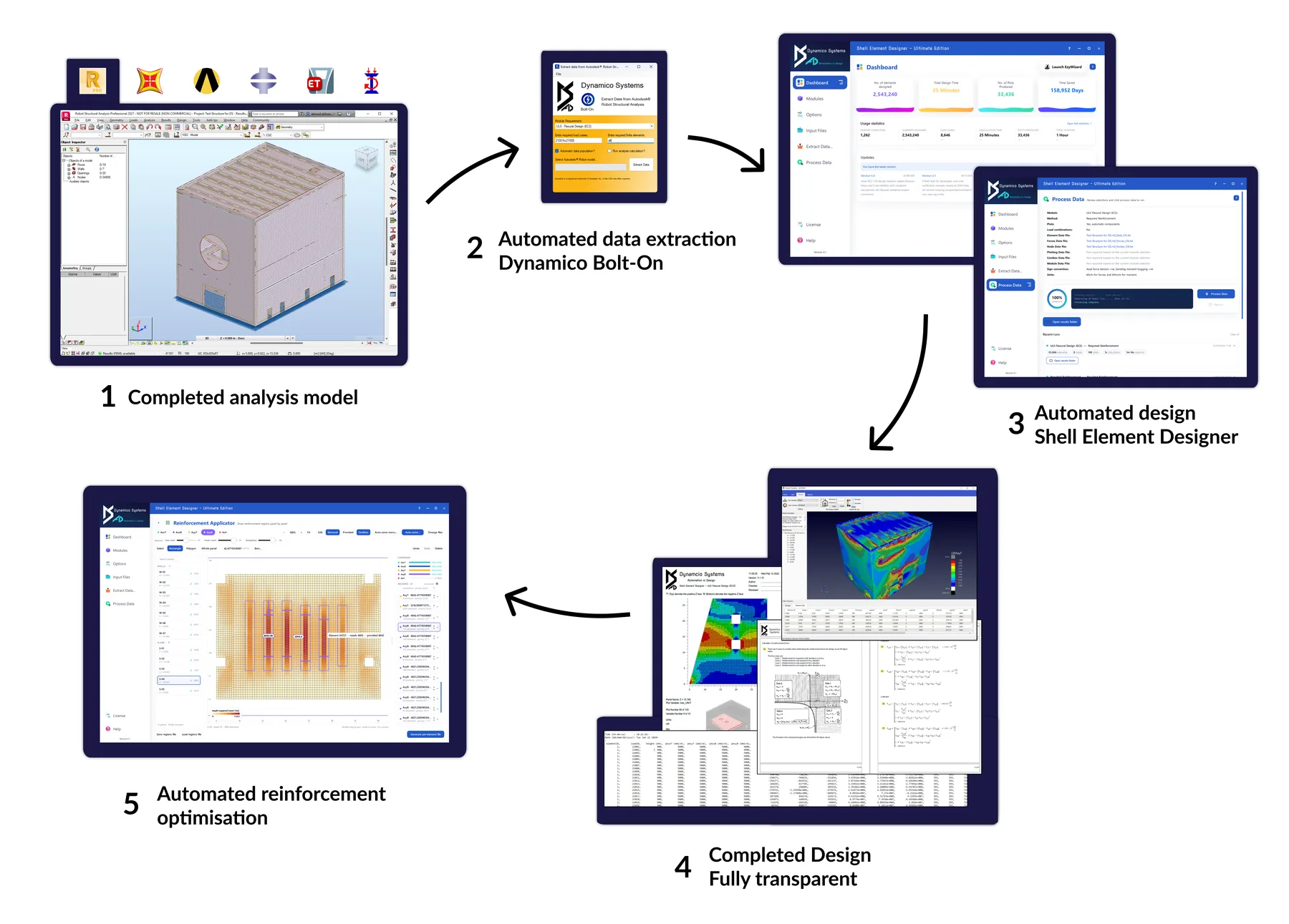
Five steps.
Zero disruption.
Unlike other design packages, our software slots directly into the workflow you already have. Analyse wherever you like. We take it from there.
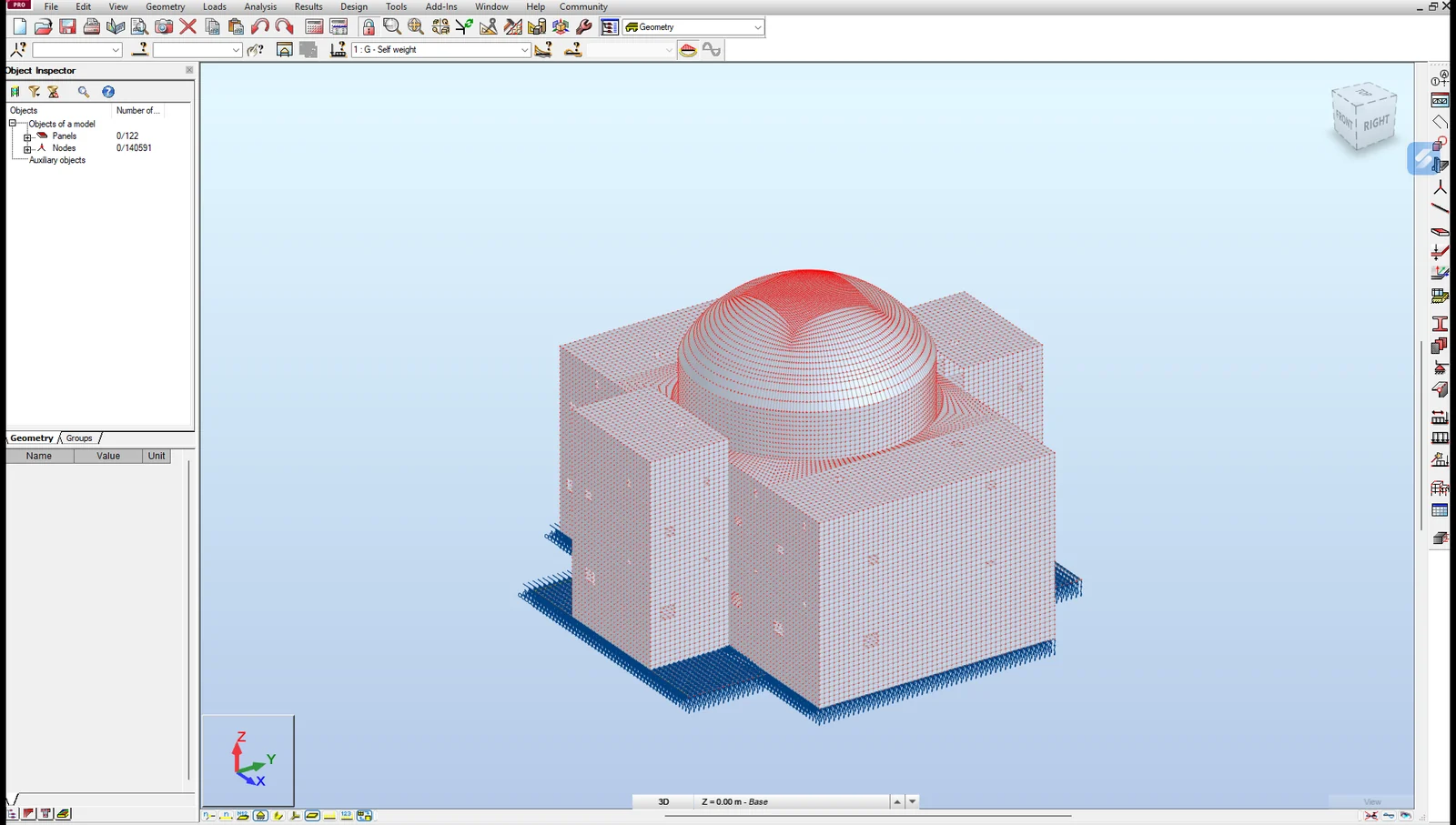
Complete the analysis
Finish your structural or finite element analysis in your existing software. Dynamico works with data from any analysis package: Robot, SAP2000, ETABS, Abaqus, ANSYS, STAAD, Tekla and more.

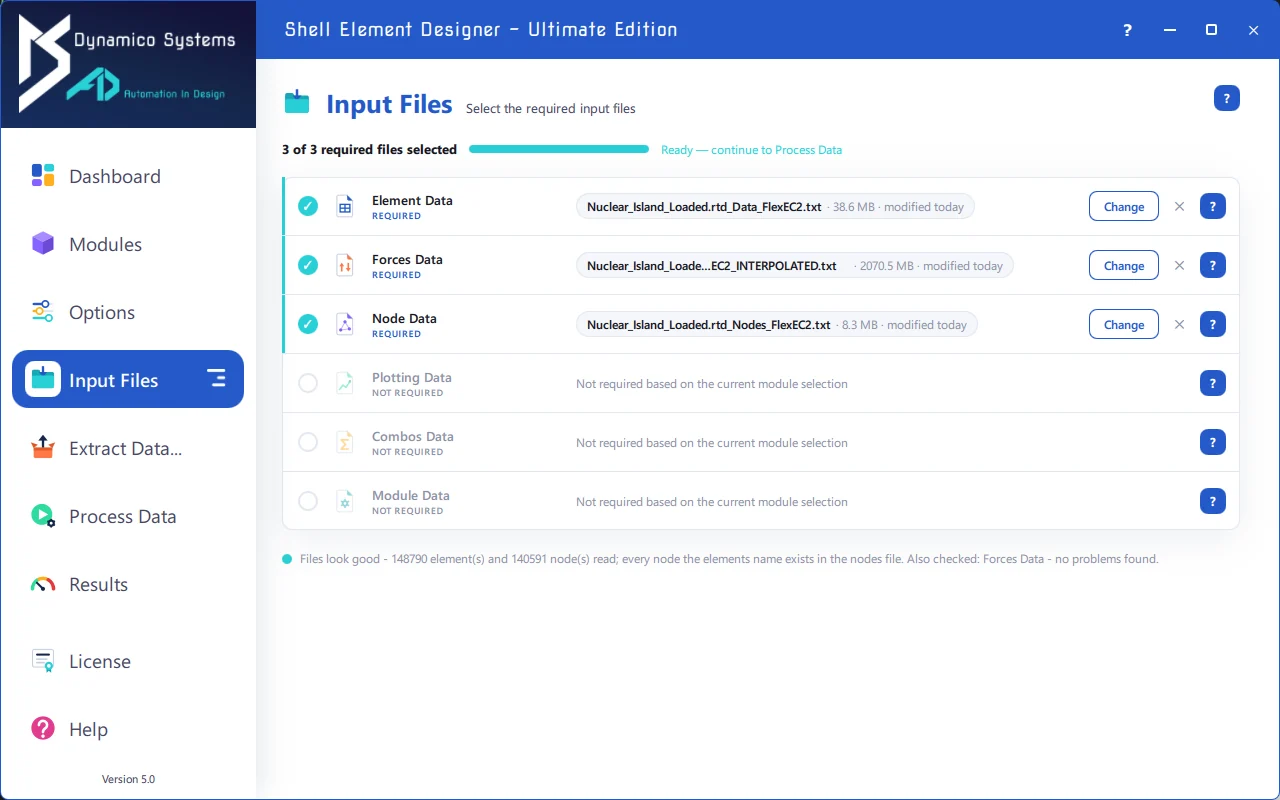
Create the input files
Create the plain-text input files: automatically in minutes with our Bolt-Ons and Automatic Data Population, which fills the element data from your model, or manually using the User Manual’s file-by-file guidance. Human-readable in, so you always know exactly what the design is based on.
Load and choose your options
Load the input files and pick what you want out: raw results only, graphical PDF plots, or a full validation calculation for any element and case of your choice.
Process the data
Click ‘Process Data’. The software rebuilds your 3D model using the patented automation methodology and designs every element for every load case to your chosen code. And it is seriously quick: the design calculations for a 148,790-element structure with 96 load cases complete in about five minutes, so a full rerun costs you a coffee break, not a deadline.
⚡ 148,790 elements × 96 load cases designed in ~5 minutesEverything comes out
One run hands you the complete set of deliverables, ready for review, reporting and BIM:
- Full results visualisation: contour plots for every panel, and the 3D model in the Design Visualiser
- Full results data, human-readable, for every element and every case
- Reinforcement optimisation in the Auto-Zoner, balancing steel, bar marks and buildability
- 3D IFC model of the reinforcement as real bars, plus Tekla export [Beta]
- Step-by-step validation calculations for any element and case
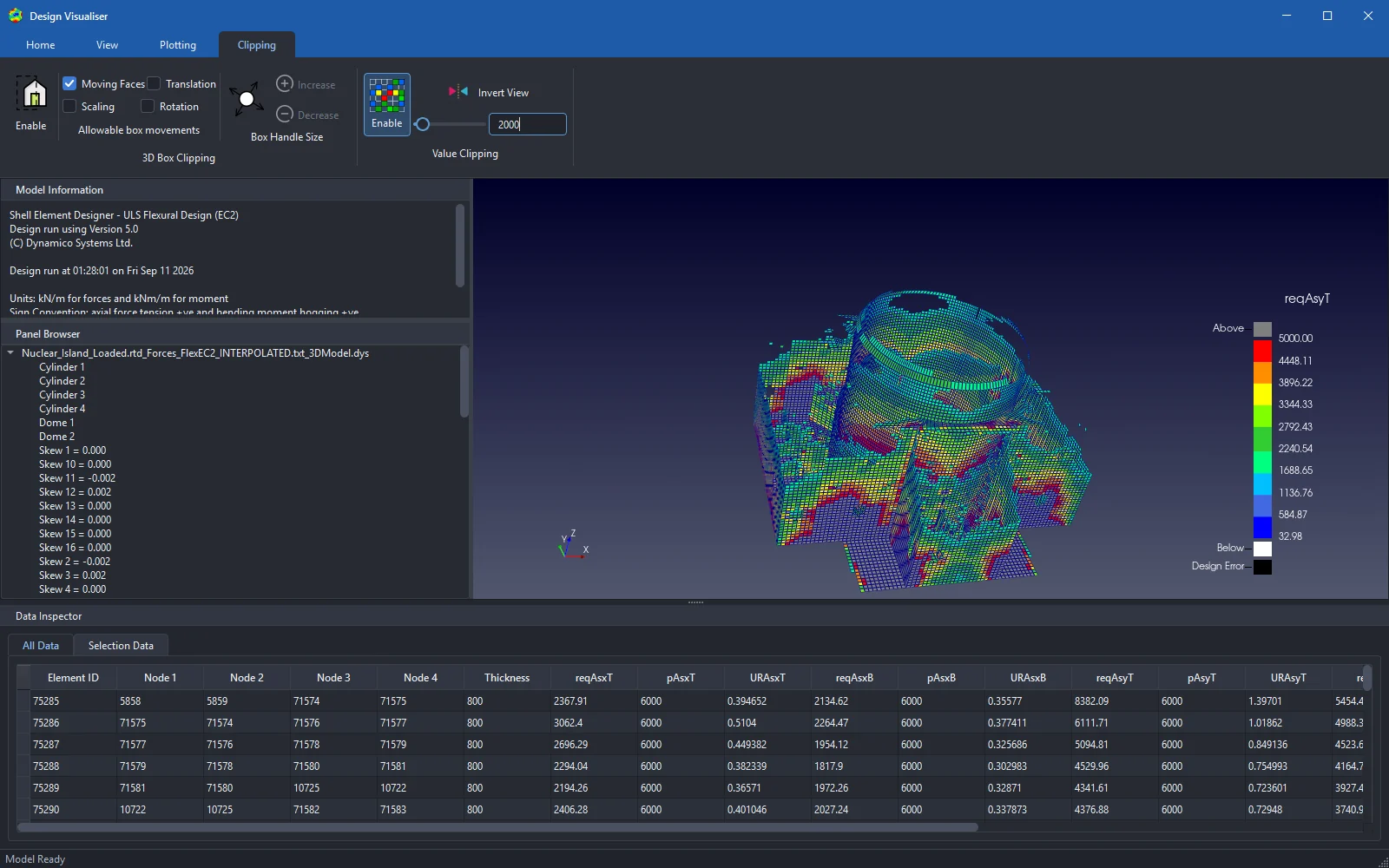
From analysis model to optimised reinforcement.
A new way of working.
Our software is not designed to replace your analysis package. It complements it, and brings consistency to your designs no matter which software you analyse in.
| Dynamico software | Typical analysis & design software | |
|---|---|---|
| Design approach | Transparent open box | Black box |
| Works from any analysis software | ✔ Consistent output across packages | ✘ Locked to its own ecosystem |
| Designs completed in minutes | ✔ | ✘ |
| Full access to all design data | ✔ Step-by-step, every element, every case | ✘ |
| Easy validation | ✔ Hand-calc-style worksheets output | ✘ |
| Simple interface & manual | ✔ Written by industry engineers | ✘ Complicated and confusing |
| Analysis modelling errors | Flow through as visible design artefacts | Easily lost in integrated processes |
| Software crash | Rerun in minutes with nothing lost. No ‘save’ needed | Lost time and data |