
Design Visualiser
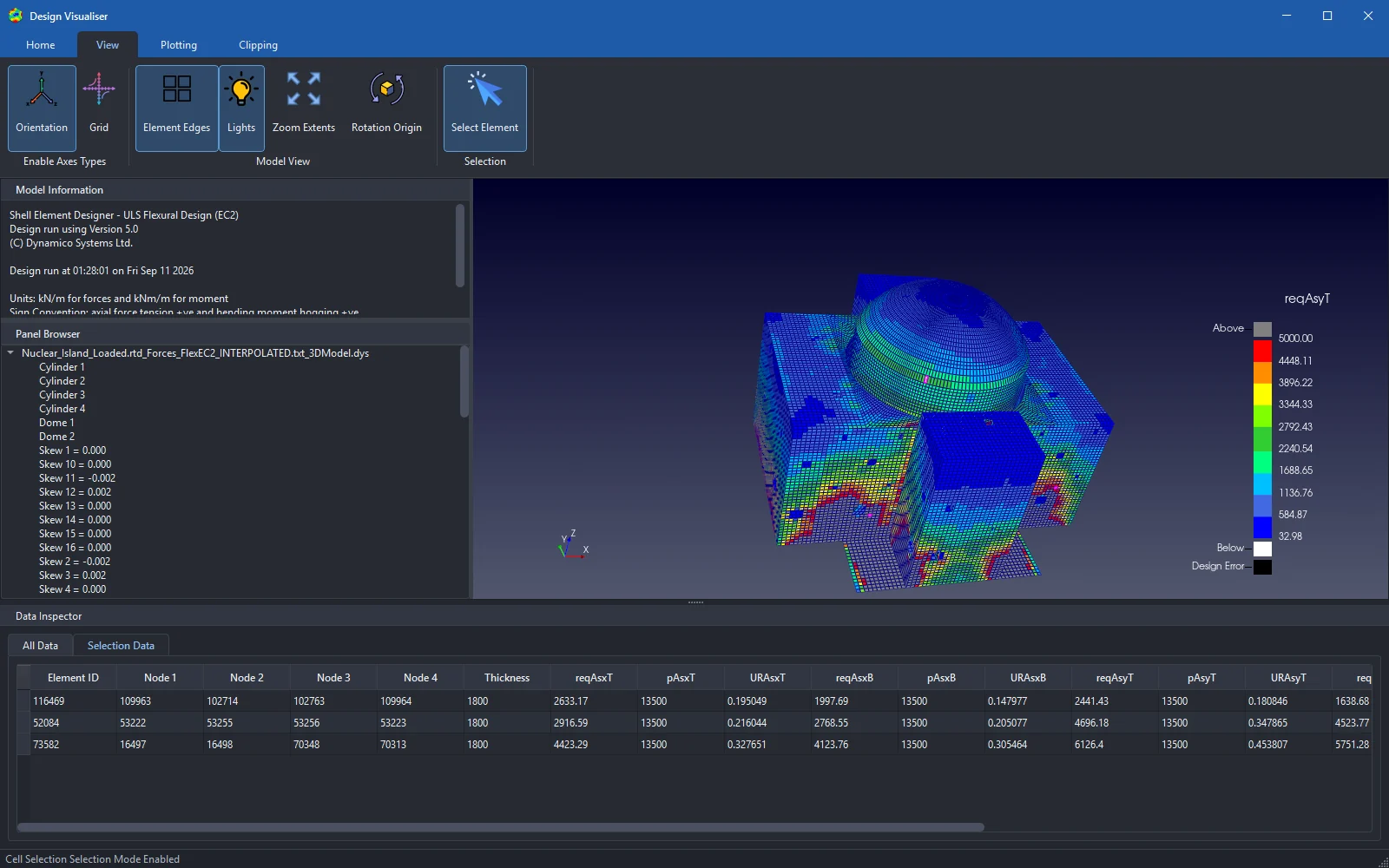
Your whole structure, answering back. Open the .dys model file from any completed design run and explore the results in three dimensions: hot spots, sections, individual elements.
Real footage: rotating the model, applying utilisation contours and tuning the plot range, live in the Design Visualiser.
Find the hot spots.
Tell the story.
The Design Visualiser is a light-weight tool that runs smoothly on full production models. Review results in detail, focus on the areas that matter, and tailor provided reinforcement to better suit the design requirements. Then capture the visuals that sell the story to colleagues, clients and reports.
Filter by value
Show only the elements above (or below) any threshold: utilisation, required reinforcement, any plot variable in the file.
Section and cut
Slice through the model with manual sections and clipping to inspect internal walls and buried slabs.
Inspect any element
Click any element for its full data row: nodes, thickness, required and provided reinforcement, utilisation ratios.
Colour your way
Multiple colour schemes and adjustable plot ranges, with out-of-range and design-error values clearly flagged.
View customisation
Set up the exact view you need and capture impressive visualisations for design reports and presentations.
Open format
Reads the open, human-readable .dys files produced by every Ultimate design run. Transparent like everything else we make.
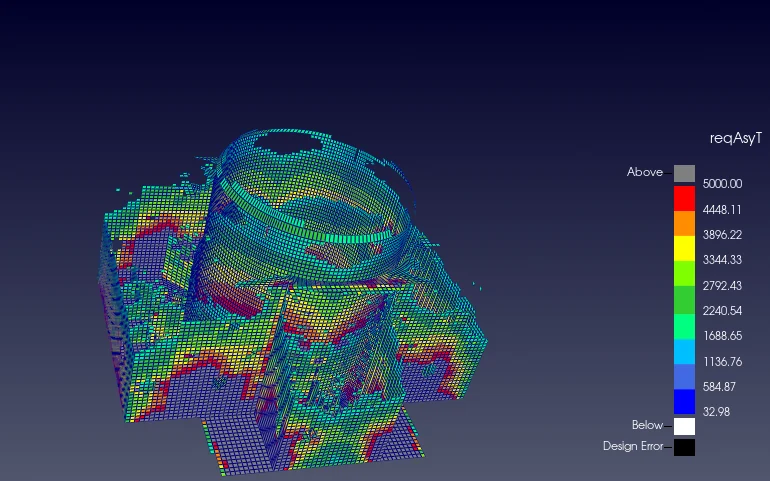
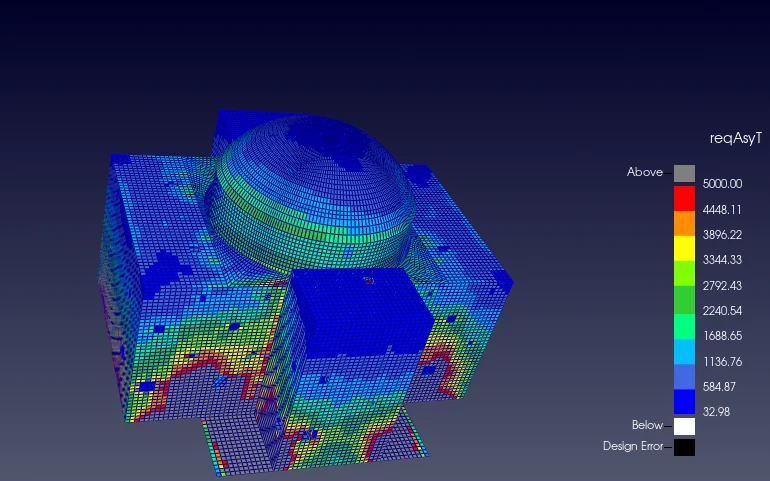
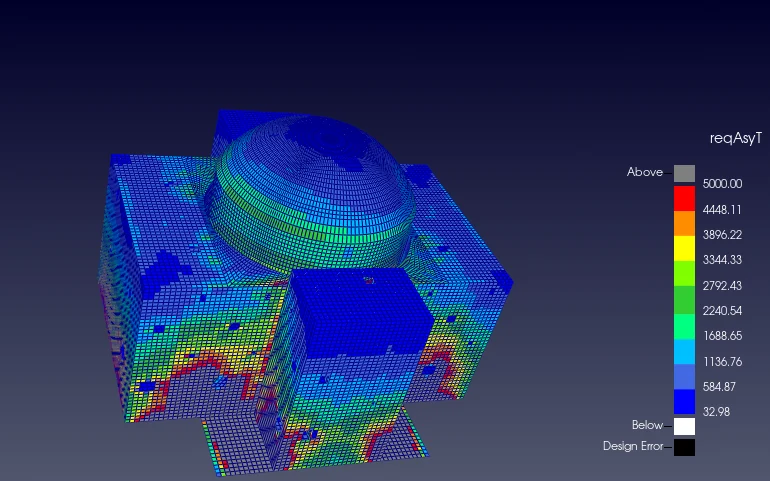
The same model, three ways.
One .dys file carries the geometry, every plot variable and every element’s data. Flip between views in seconds.
Design. Visualise. Adjust. Rerun.
All Ultimate editions produce a .dys 3D model file automatically with every completed run. Review it in the Visualiser, adjust your inputs or provided reinforcement, and rerun. The whole loop takes minutes.
- Included with Shell Element Designer Ultimate
- Runs on integrated or dedicated graphics (OpenGL 3.2+)
- Handles full production models smoothly
| Element ID | reqAsyT (mm²/m) | URAsyT | reqAsxT (mm²/m) | URAsxT |
|---|---|---|---|---|
| 73582 | 6126.40 | 0.454 | 4423.29 | 0.328 |
| 52084 | 4696.18 | 0.348 | 2916.59 | 0.216 |
| 116469 | 2441.43 | 0.181 | 2633.17 | 0.195 |
Real rows from a nuclear island design run: every element on the model links to its full results.